Artificial identities · Lyfera · 2026-11-13
How to fix hair halos after AI background removal
A practical guide to inspecting hair masks and edge color after removing an image background.

A pale fringe around dark hair can make an otherwise convincing cutout look pasted onto its new setting. The cause is not always a bad selection. Fine strands can be partly transparent, and pixels near the edge may still contain color from the original background. Treating both problems as one often removes the halo by removing the hair as well.
Start by keeping the original image and the first mask. Then inspect the cutout against several temporary backgrounds, including a light neutral, a dark neutral and a color close to the intended final scene. A fringe that disappears against white but stands out against charcoal needs a different judgment from one visible everywhere. The backgrounds are diagnostic aids; the final composition is the real test.
Diagnose the edge before changing it
Look at the mask by itself, then return to the composite at its intended viewing size. A mask that cuts through the hair can lose individual strands or leave a visibly hard contour. A mask that includes too much background can leave a broad rim. At the same time, a mask may have a plausible shape while the edge pixels still carry the old background's color. Darkening or shrinking the whole mask will not necessarily solve that color contamination, and may make fine hair look unnaturally thin.
In image matting, an edge can be described as a mixture of foreground and background, with an opacity value controlling their contribution. The Background Matting research paper explains this distinction and describes one method using an additional image of the empty background. That extra capture is specific to the paper's method; it is not a requirement for every edit.
Refine the mask gradually
Work on a copy or a nondestructive mask where your editor permits it. Start with the largest obvious background remnants, then inspect fine strands. Use a small, soft brush at an appropriate zoom and change a little at a time. If the editor offers edge refinement, use it as a starting point and compare the result to the original: automatic refinement can recover useful transitions, but it can also invent soft fringes or erase flyaways.
A small inward shift can reduce a wide rim on a solid edge, but applying it uniformly to hair may remove the very detail you want to keep. Local corrections give more control. Where detail is absent from the source, a cleaner edge may be more honest than trying to manufacture individual strands. Keep an untouched copy so you can restore detail when the correction goes too far.
Address leftover color separately
If the outline is right but a light or colored rim remains, examine the foreground edge color. Some editors offer color decontamination or localized color adjustments. Try these on a duplicate or masked layer, and check whether they alter the actual hair color. Their results depend on the source, the tool and the replacement background; no single setting works reliably for every portrait.
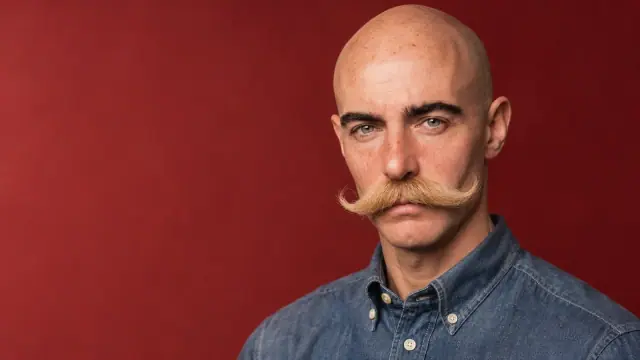
Suppose an imagined portrait of Lyfera talent Alexandros Lyras is moved from a bright wall to a dark backdrop. A pale edge may become more visible after the change even if it was hard to notice before. First inspect whether the mask includes wall pixels; if the outline is already accurate, test a restrained local color correction instead. This is a hypothetical workflow, not a claim that the accompanying image was edited in this way.
Check the image at its final size
Zoom in to find stray patches, then zoom out to judge the whole portrait. Toggle the original and edited versions. Look for missing tufts, a uniformly blurred outline, sudden changes in hair color and a new background visible through areas that should be opaque. A strand-by-strand edit that looks impressive at high magnification may be unnecessary in a small editorial image, while a broad light rim can remain distracting at thumbnail size.
If the source has very fine motion blur, low contrast or a similarly colored background, the mask may require manual compromise. Retain the original file and a version with editable layers so a later background change does not force the same work again. For the broader challenge of preserving a character's appearance across scenes, see AI talent character consistency. Edge cleanup serves that continuity, but it cannot by itself establish identity or repair every detail.