Artificial identities · Lyfera · 2026-11-14
How to crop a starting image for vertical AI video
Choose a portrait crop, a padded fit or a new starting frame based on what your AI video needs to keep in view.
Set the final video ratio before you crop the starting image. For a 9:16 clip made from a horizontal still, use a portrait crop when the subject and the intended action fit inside it. Compose a separate vertical starting frame when a crop would remove an essential gesture, object or part of the setting. Fitting the whole still with padding can work when the border belongs in the final composition and you control when it is added.
Our guide to choosing a starting image for AI video deals with what a still gives the shot to work with. Here the still may already be good. The question is whether its useful information survives the change of shape. A portrait crop can preserve the face and lose the hand that reaches for a door. The first frame may look tidy while the clip loses its reason to move.
Test the intended crop at the final ratio
If you keep the full height of a 16:9 image and cut it to 9:16, the new frame keeps about 32 percent of the original width. The new width is nine sixteenths of the height, while the old width is sixteen ninths of the same height. Sliding that window sideways changes what it keeps. It cannot make the window wider.
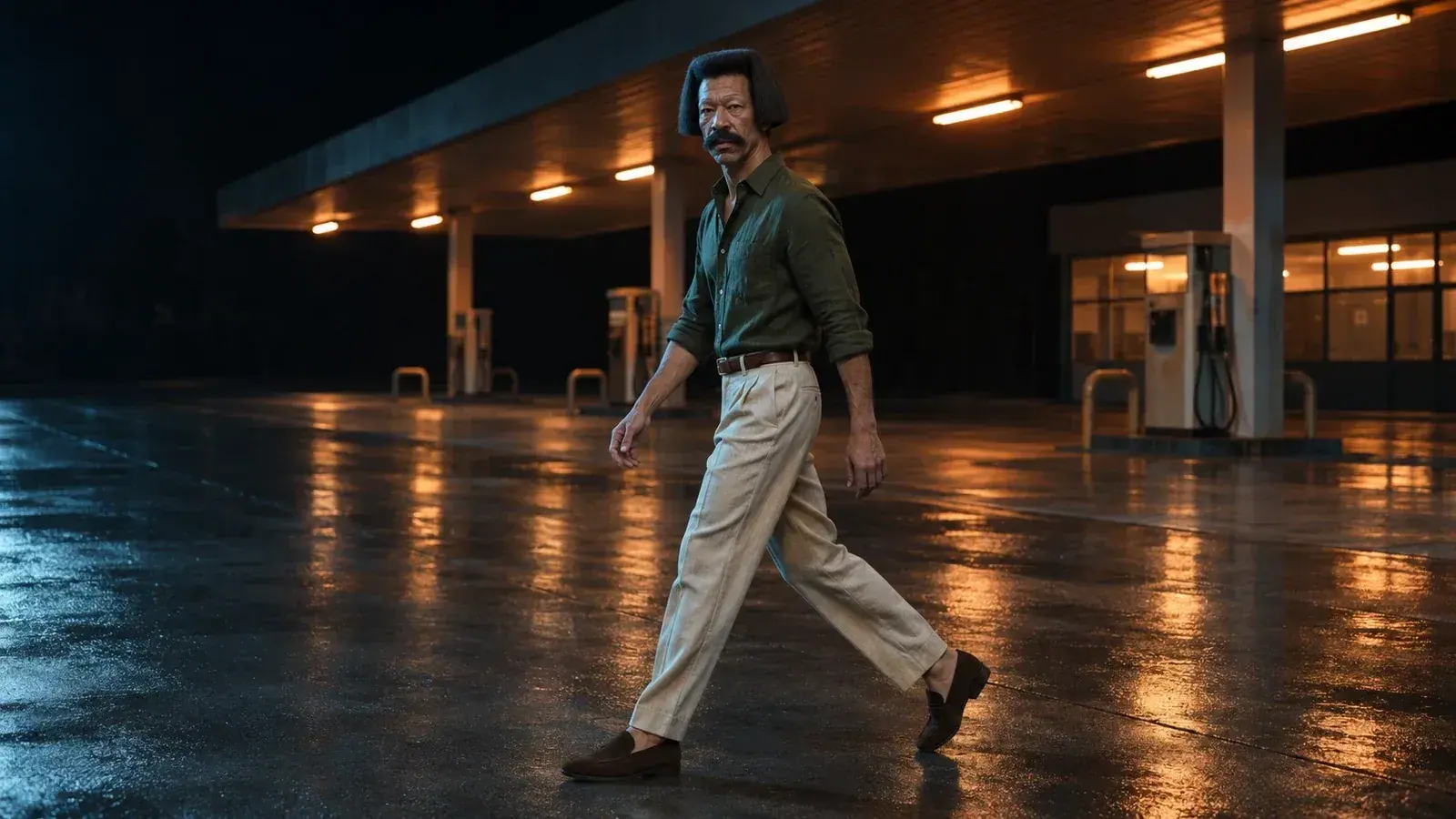
Place a 9:16 guide over the still at the size you intend to use. Look for the body and the objects it needs to interact with. Then imagine the point in the action that will reach farthest from the starting position. For an imagined shot of Nahuel Echeverría walking across a wet forecourt, a centre crop would keep his dark haircut, moustache and leading foot while clipping the trailing shoe and losing most of the open pavement. Moving the crop to keep both shoes leaves less room in front of him. That gives you a concrete reason to change the staging.
Give the movement somewhere to go
For the same walking idea, a separately composed vertical frame could send Nahuel diagonally toward the camera. The vertical arrangement gives the walker room in depth and still keeps the first footfall visible. The interior photograph here illustrates that change of direction with a different setting and viewpoint. Lay out the actual starting image at 9:16 before submitting it. Keep the face, the first footfall and the part of the path that the clip needs.
Fitting a horizontal image inside a vertical canvas preserves its width and leaves space above and below. Filling the canvas with the same image enlarges it until the sides fall outside the frame. These are familiar controls in editing software such as Shotcut’s Size, Position & Rotate filter. When a border is part of the design, adding it in the edit lets you place it consistently around the finished clip. If your generator offers its own crop or framing preview, inspect what it will actually use before you generate.
Review the frame after the subject moves
Watch the rendered clip once at normal speed. Then inspect the first frame, the moment of greatest reach or travel and the last usable frame. For a walk, follow the leading foot and check that the frame still has enough room for the next step. For a turn, check the elbow or the edge of a coat where it swings outward. Note the moment where the framing stops serving the action. A single good thumbnail tells you very little about that moment.
The Journal’s essay on still-image cropping considers what an edge can leave implied. With a moving shot, the edge has to make sense for the duration you intend to keep. If the action repeatedly runs into it, revisit the starting composition or change the direction of travel before spending another take on the same framing.